Blizzard published its guide to playing WoW Forever with a controller, Explore WoW: Forever with a Gamepad, on November 3 at 20:00 UTC. Forty-seven minutes later, it edited its development notes of November 2: their gamepad section, which read "Gamepad Support has entered a complete functional state" when they were posted, now reads "Gamepad Support has entered a functional Beta state". The notes now say what the guide and the game's own menu say. You can play the whole game with a gamepad, from movement and spells to menus, but Blizzard still calls it a beta: some screens are unfinished, and you need a keyboard to type in chat. Here is how to turn it on, the controls, and what still needs a keyboard.
How to turn it on
Press Escape to open the Game Menu, select Options, then choose Gamepad under Gameplay, Blizzard's guide says. In the game files, the entry has said beta since the full game's first build, 1.60.1.70630 of October 27: it reads "Gamepad (Beta)". Through the beta test, it read "Gamepad (Alpha)". WoW Forever "supports all XInput-compatible controllers", with Xbox and PlayStation button icons.
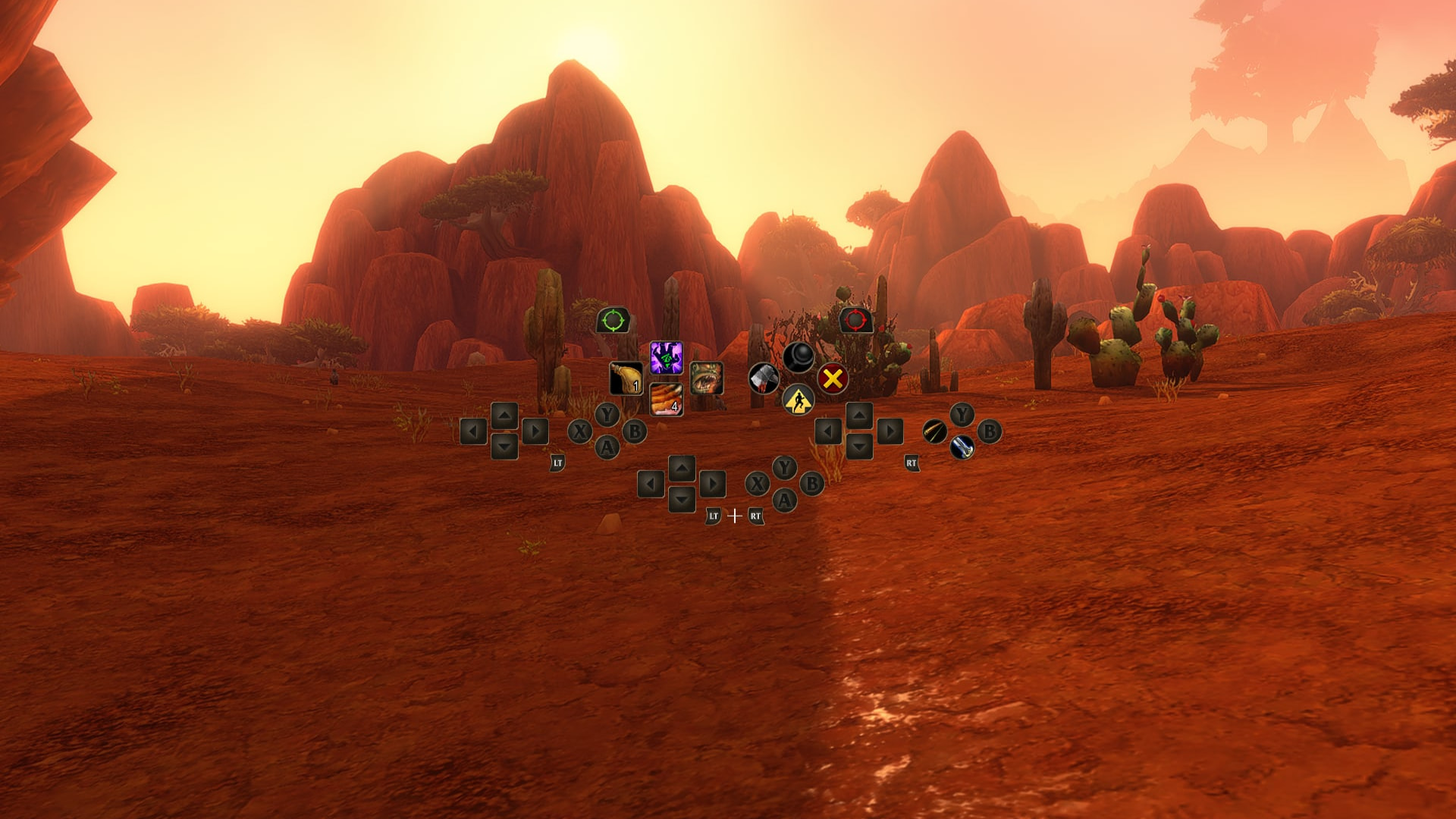
The Gamepad settings adjust the camera, the HUD modifier, the frame focus style, the action bars, targeting and raid targeting. The notes add Edit Mode, where you set the gamepad action bar's layout. On controllers with supported lighting, the light turns red for a Horde character and blue for an Alliance one.
The controls
Blizzard's guide names the buttons as on an Xbox controller:
| What | Buttons |
|---|---|
| Move, look around | Left stick, right stick |
| Friendly target, hostile target | LB, RB |
| Interact, jump, back, inspect | X, A, B, Y (they also hold spells) |
| Your other action bars | Hold LT, RT, or both |
| Main menu, change focus frame | Menu, View |
| Zoom the camera | LB + RB, right stick forward or back |
| Change action bar set | LB + RB, Left or Right on the D-pad |
| Backpack, quest tracker, chat, buffs | LB + RB + B, Up, Down or Y |
| Focus target | LB + RB + Face Down (the November 2 notes) |
A legend in the upper-left corner of the screen shows the controls, and most windows list their options in a footer.